> ## Documentation Index
> Fetch the complete documentation index at: https://docs.depict.ai/llms.txt
> Use this file to discover all available pages before exploring further.
# Boost & Bury
> Push products up or down across your storefront with simple rules.
Boost & Bury applies storewide ranking adjustments on top of Depict's
automatic ranking. Boosted products rank higher everywhere; buried products
rank lower.
 ## Rules
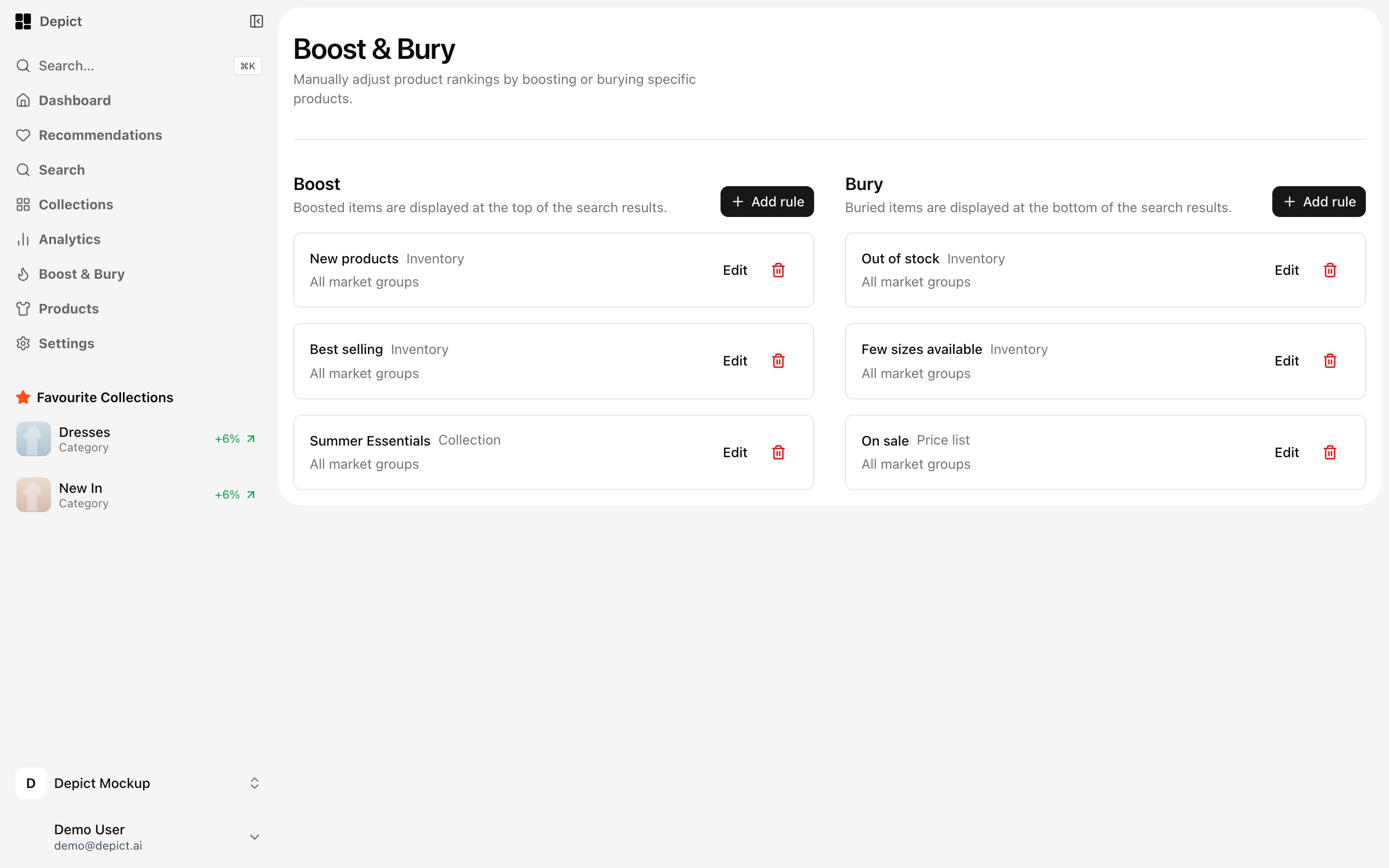
The page shows two lists side by side — **Boosted items** and **Buried
items**. Rules are created and edited in a modal with a live preview of the
products the rule will affect.
**Boost conditions**
* New products
* Best selling
* On sale
* Products in a specific collection
**Bury conditions**
* Out of stock
* Few sizes available
* On sale
* Products in a specific collection
Each condition (other than collection rules) can only be used once across
your rules. Every rule is scoped to one or more markets — pick at least one.
## When to use what
* Use **Boost & Bury** for storewide, condition-based pushes ("bury everything
with few sizes left").
* Use [collection pinning](/headless/features/collections) when you want a
specific product in a specific place on a specific page.
* Check the pinned-vs-auto verdicts in
[collection analytics](/headless/features/collection-analytics#pinned-vs-auto)
to see whether your manual interventions actually beat the automatic
ranking.
## Rules
The page shows two lists side by side — **Boosted items** and **Buried
items**. Rules are created and edited in a modal with a live preview of the
products the rule will affect.
**Boost conditions**
* New products
* Best selling
* On sale
* Products in a specific collection
**Bury conditions**
* Out of stock
* Few sizes available
* On sale
* Products in a specific collection
Each condition (other than collection rules) can only be used once across
your rules. Every rule is scoped to one or more markets — pick at least one.
## When to use what
* Use **Boost & Bury** for storewide, condition-based pushes ("bury everything
with few sizes left").
* Use [collection pinning](/headless/features/collections) when you want a
specific product in a specific place on a specific page.
* Check the pinned-vs-auto verdicts in
[collection analytics](/headless/features/collection-analytics#pinned-vs-auto)
to see whether your manual interventions actually beat the automatic
ranking.