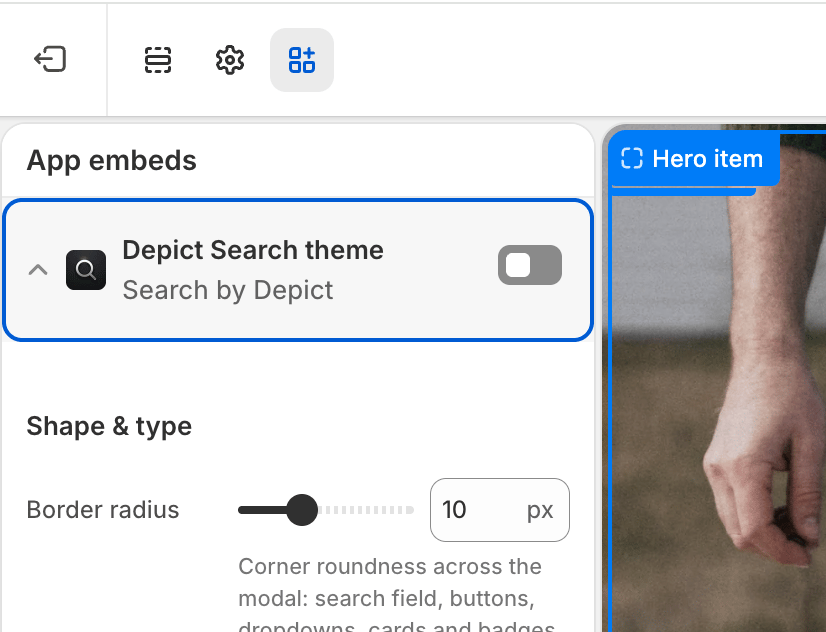
Global visual styling for the Depict search modal (app embed: Depict Search theme).
Global visual styling of the search modal. The baseline stylesheet has sensible defaults, so the modal still renders correctly if this embed is disabled.To edit these settings: Shopify admin → Online Store → Themes → Customize → App embeds, then expand Depict Search theme. See Search customization overview for a full walkthrough.
Corner roundness used across the modal: the search field, the filter / sort / grid-layout / “view all” buttons and their dropdowns, the product cards, and the in-card badges (kept slightly rounder than the card). Set to 0 for fully square corners everywhere.
0–30 px (step 1) · default 10px
Desktop & Mobile
Base font size
Base font size for the whole modal. Every other text (headings, labels, results) scales relative to this. An absolute unit (px) stays fixed; a relative unit (em / %) scales with your store’s base font size. Leave empty to inherit your store’s font size.