> ## Documentation Index
> Fetch the complete documentation index at: https://docs.depict.ai/llms.txt
> Use this file to discover all available pages before exploring further.
# Product Card Tracking
> How to make sure DPC tracks your product cards correctly
This page does not apply to installs made in 2025 or later of the Depict Shopify apps
Only follow these steps for product cards that are NOT rendered through the
Depict UI (SDK)
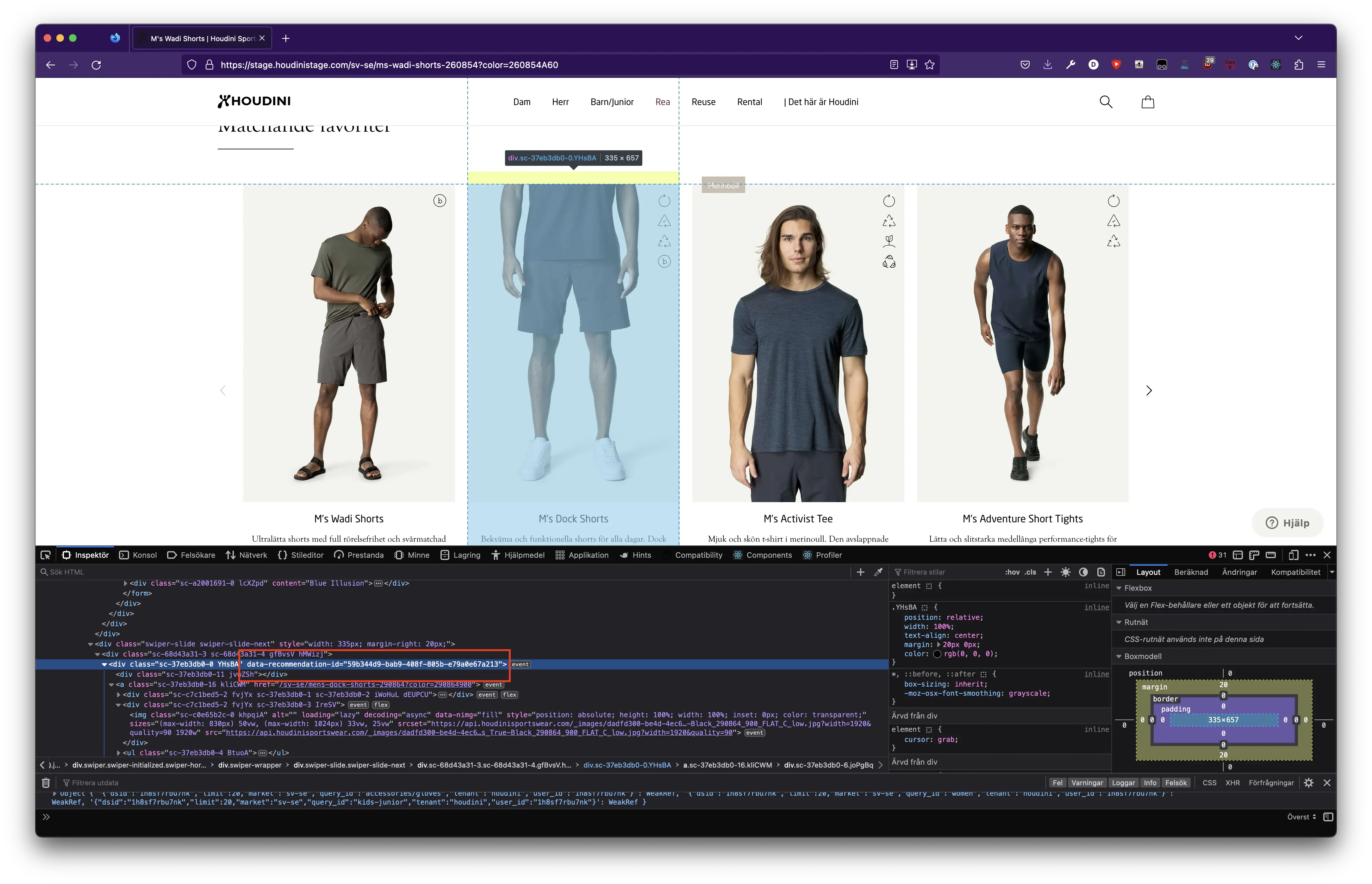
We need to tell DPC about the product cards that you created using Depict data. Product cards rendered by Depict components (such as the [SearchPage](/js-ui-guide/search/adding-page) or [RecommendationSlider](/js-ui-guide/recommendations/slider)) will automatically have this attached. However, if you render product cards yourself, you need to add a data attribute to the product card.
In the response from all our API:s there's an id inside each display. You need to add this id to your product card template as a data attribute.
The ID is called different things based on different endpoints
| Endpoint you got product data from | Name of ID in `display` (display = product data provided from API response) | Attribute name to be used |
| -------------------------------------- | --------------------------------------------------------------------------- | ------------------------------ |
| /v3/listings/\* | product\_listing\_result\_id | data-product-listing-result-id |
| /v2/product-listing | product\_listing\_result\_id | data-product-listing-result-id |
| /v3/recommend/products | recommendation\_id | data-recommendation-id |
| /v2/recommend/\* | recommendation\_id | data-recommendation-id |
| /v3/search/\* | search\_result\_id | data-search-result-id |
| /v2/search/related, /v2/search/results | search\_result\_id | data-search-result-id |
This step enables DPC to add click tracking to the product cards as well as tracking when the product card is visible to the user according to certain criteria.
## Examples:
#### Category page:
```html theme={null}
```
#### Recommendations: