> ## Documentation Index
> Fetch the complete documentation index at: https://docs.depict.ai/llms.txt
> Use this file to discover all available pages before exploring further.
# Search button settings
> Customize the on-page button that opens the Depict search modal.
The **Depict Search** block is the entry-point button that opens the search modal. It is added to a section or header in your theme.
To edit these settings: **Shopify admin → Online Store → Themes → Customize**, navigate to the section where the button is placed (commonly the **Header**), then select the **Depict Search** block.
See [Search customization overview](/shopify-guide/blocks/search-customization-overview) for where global (modal) settings live.
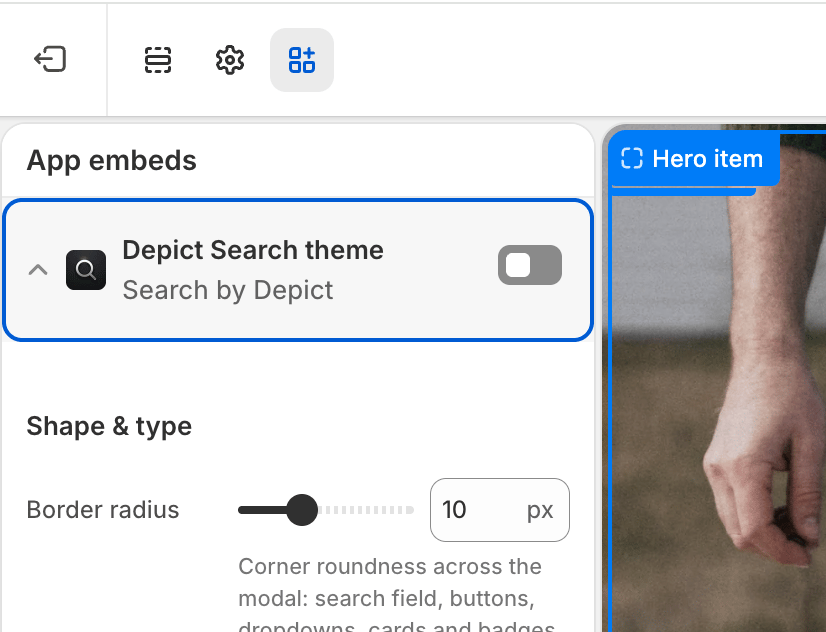 "Online Store → Edit Theme"
## Settings
| Setting | Description | Values / Default | Applies to |
| ---------------------- | -------------------------------------------------------------------------------------------------------------------------------------------------- | ---------------------------- | ---------------- |
| Custom search icon | Upload your own icon for the button. Falls back to a built-in magnifier when empty. | Image (optional) | Desktop & Mobile |
| Search icon color | Color of the built-in magnifier icon (ignored when a custom icon image is used). | Color · default `#000000` | Desktop & Mobile |
| Button width | Width of the button on desktop. | CSS length · default `20px` | Desktop |
| Button height | Height of the button on desktop. | CSS length · default `20px` | Desktop |
| Icon size | Size of the icon on desktop. | CSS length · default `20px` | Desktop |
| Button width (mobile) | Width of the button on mobile. | CSS length · default `20px` | Mobile |
| Button height (mobile) | Height of the button on mobile. | CSS length · default `20px` | Mobile |
| Icon size (mobile) | Size of the icon on mobile. | CSS length · default `20px` | Mobile |
| Mobile breakpoint | Max window width at which the mobile button sizes apply. | CSS length · default `768px` | Both (threshold) |
| Button text | Optional text shown to the left of the icon on desktop. When set, the button width/height settings are disabled (the button sizes to its content). | Text (optional) | Desktop |
"Online Store → Edit Theme"
## Settings
| Setting | Description | Values / Default | Applies to |
| ---------------------- | -------------------------------------------------------------------------------------------------------------------------------------------------- | ---------------------------- | ---------------- |
| Custom search icon | Upload your own icon for the button. Falls back to a built-in magnifier when empty. | Image (optional) | Desktop & Mobile |
| Search icon color | Color of the built-in magnifier icon (ignored when a custom icon image is used). | Color · default `#000000` | Desktop & Mobile |
| Button width | Width of the button on desktop. | CSS length · default `20px` | Desktop |
| Button height | Height of the button on desktop. | CSS length · default `20px` | Desktop |
| Icon size | Size of the icon on desktop. | CSS length · default `20px` | Desktop |
| Button width (mobile) | Width of the button on mobile. | CSS length · default `20px` | Mobile |
| Button height (mobile) | Height of the button on mobile. | CSS length · default `20px` | Mobile |
| Icon size (mobile) | Size of the icon on mobile. | CSS length · default `20px` | Mobile |
| Mobile breakpoint | Max window width at which the mobile button sizes apply. | CSS length · default `768px` | Both (threshold) |
| Button text | Optional text shown to the left of the icon on desktop. When set, the button width/height settings are disabled (the button sizes to its content). | Text (optional) | Desktop |