> ## Documentation Index
> Fetch the complete documentation index at: https://docs.depict.ai/llms.txt
> Use this file to discover all available pages before exploring further.
# Installing the app
This page does not apply to installs made in 2025 or later of the Depict Shopify apps
For this, you will need to have quite high privileges in your Shopify shop. It might make sense to ask your store owner to do this for you.
You will receive an installation link from us, either per Email or Slack. Click on it.
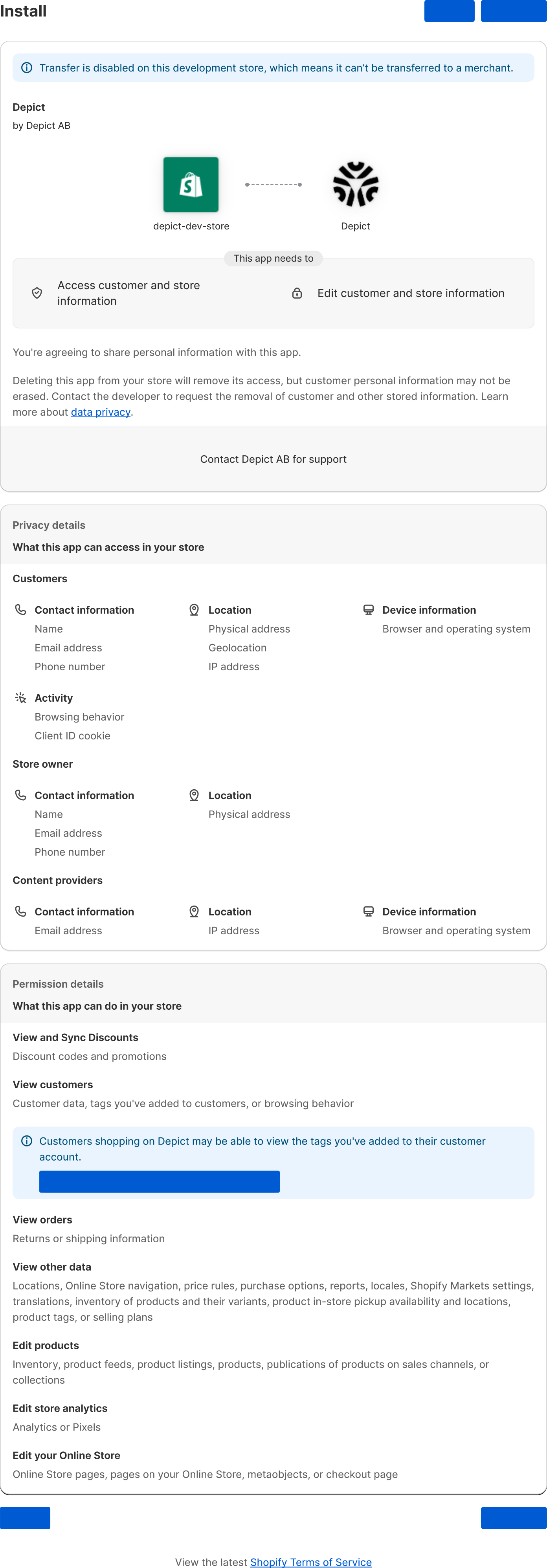
Click "Install App"
 {
// In prod, they have some zoom thing which breaks aspectRatio, work around that. Unfortunately this is not in the SSR'd output so there's still some CLS.
const direct_parent = element?.parentElement;
if(direct_parent?.matches?.("[data-rmiz-content]")) {
Object.assign(direct_parent.style, {
width: "100%",
display: "flex",
justifyContent: "center",
alignItems: "center"
})
}
const parents_parent = direct_parent?.parentElement;
if(parents_parent?.matches?.("[aria-owns^='rmiz-modal']")) {
parents_parent.style.width = "100%";
}
}}
/>
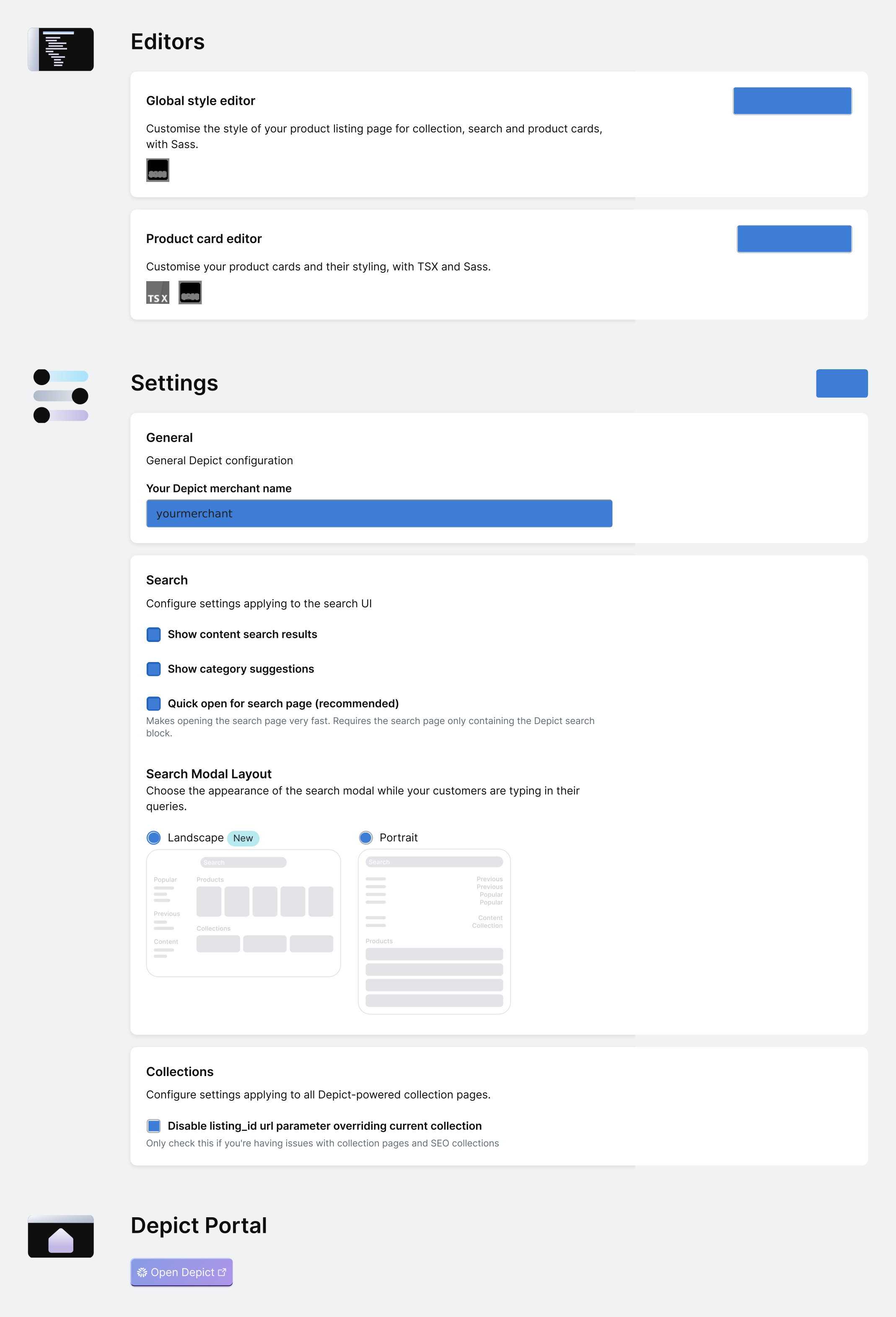
You should get to the Depict App configuration, which indicates a successful app installation.
Here, please fill in "Your Depict merchant name" and click "Save".
{
// In prod, they have some zoom thing which breaks aspectRatio, work around that. Unfortunately this is not in the SSR'd output so there's still some CLS.
const direct_parent = element?.parentElement;
if(direct_parent?.matches?.("[data-rmiz-content]")) {
Object.assign(direct_parent.style, {
width: "100%",
display: "flex",
justifyContent: "center",
alignItems: "center"
})
}
const parents_parent = direct_parent?.parentElement;
if(parents_parent?.matches?.("[aria-owns^='rmiz-modal']")) {
parents_parent.style.width = "100%";
}
}}
/>
You should get to the Depict App configuration, which indicates a successful app installation.
Here, please fill in "Your Depict merchant name" and click "Save".
 {
// In prod, they have some zoom thing which breaks aspectRatio, work around that. Unfortunately this is not in the SSR'd output so there's still some CLS.
const direct_parent = element?.parentElement;
if(direct_parent?.matches?.("[data-rmiz-content]")) {
Object.assign(direct_parent.style, {
width: "100%",
display: "flex",
justifyContent: "center",
alignItems: "center"
})
}
const parents_parent = direct_parent?.parentElement;
if(parents_parent?.matches?.("[aria-owns^='rmiz-modal']")) {
parents_parent.style.width = "100%";
}
}}
/>
{
// In prod, they have some zoom thing which breaks aspectRatio, work around that. Unfortunately this is not in the SSR'd output so there's still some CLS.
const direct_parent = element?.parentElement;
if(direct_parent?.matches?.("[data-rmiz-content]")) {
Object.assign(direct_parent.style, {
width: "100%",
display: "flex",
justifyContent: "center",
alignItems: "center"
})
}
const parents_parent = direct_parent?.parentElement;
if(parents_parent?.matches?.("[aria-owns^='rmiz-modal']")) {
parents_parent.style.width = "100%";
}
}}
/>