> ## Documentation Index
> Fetch the complete documentation index at: https://docs.depict.ai/llms.txt
> Use this file to discover all available pages before exploring further.
# Weekly Reports
> The Weekly Reports page: top products by clicks, add-to-carts and orders per week, the needs-attention lists, and CSV export.
The **Weekly Reports** page summarizes product performance one week at a
time: which products were clicked, added to cart and ordered the most, and
which products deserve a merchandising change.
## Limits and behavior
* Data is grouped by week; pick the week with the week selector.
* The first report appears after the store's first full week of collected
data. Until then the page shows an empty state.
* CSV export includes up to 20,000 products; if more exist, the export stops
there and says so.
## Top products
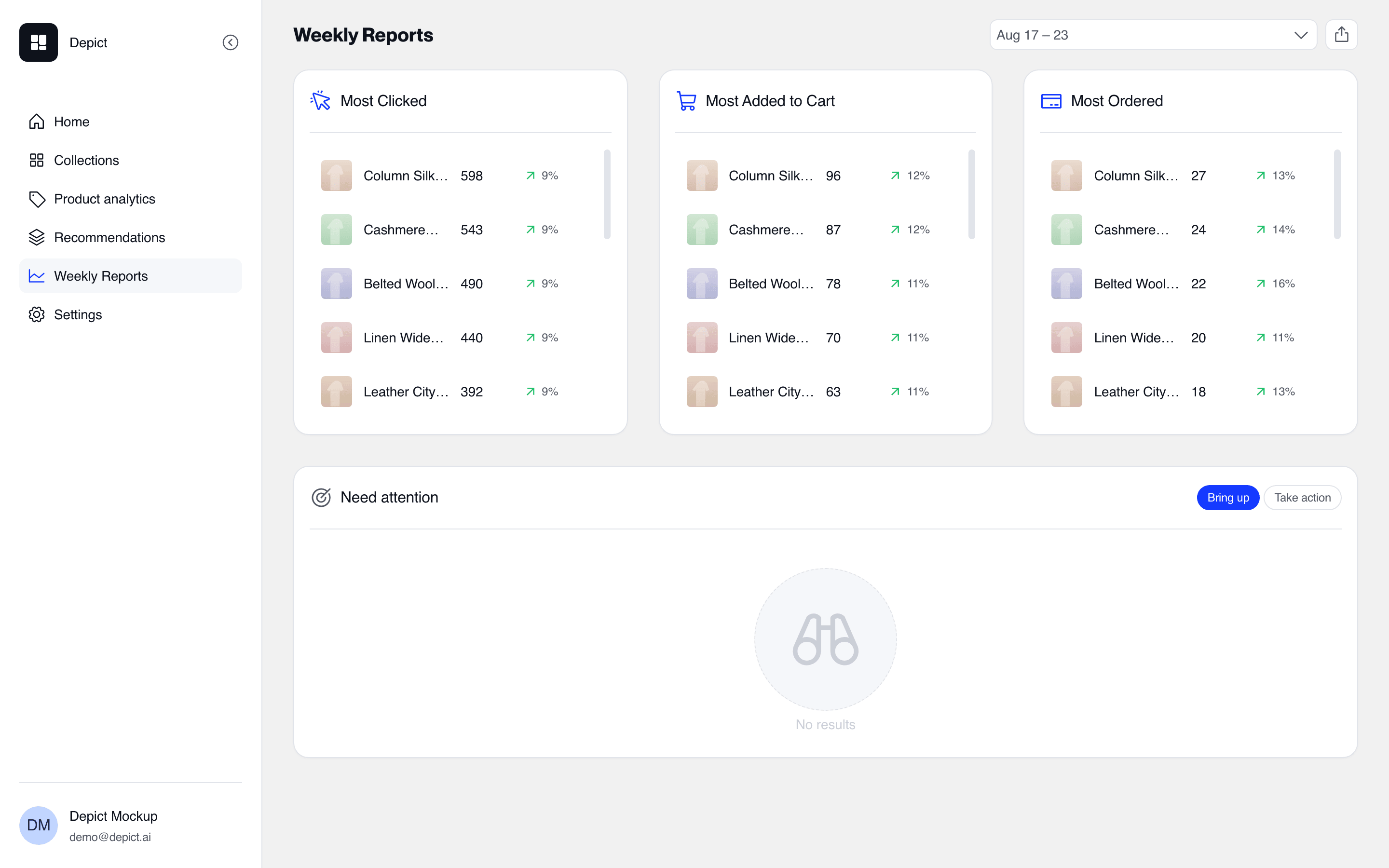 Three ranked lists for the selected week:
| List | Ranked by |
| ------------------ | -------------- |
| Most Clicked | Product clicks |
| Most Added to Cart | Add-to-carts |
| Most Ordered | Orders |
## Needs attention
Two lists suggest concrete merchandising moves, switchable with the
**Bring up / Take action** toggle:
| View | Shows | Suggested action |
| ----------- | ------------------------------------------------- | ------------------------------------------ |
| Take action | Products performing poorly despite high positions | Move them down, or investigate the product |
| Bring up | Products performing well from low positions | Move them up to capture more sales |
Positions are changed in the [collection editor](/shopify-lite/collections)
— pin the product or adjust the sort order.
## Exporting
The **Export as CSV** action downloads the selected week's product rows (up
to the 20,000-product cap).
Three ranked lists for the selected week:
| List | Ranked by |
| ------------------ | -------------- |
| Most Clicked | Product clicks |
| Most Added to Cart | Add-to-carts |
| Most Ordered | Orders |
## Needs attention
Two lists suggest concrete merchandising moves, switchable with the
**Bring up / Take action** toggle:
| View | Shows | Suggested action |
| ----------- | ------------------------------------------------- | ------------------------------------------ |
| Take action | Products performing poorly despite high positions | Move them down, or investigate the product |
| Bring up | Products performing well from low positions | Move them up to capture more sales |
Positions are changed in the [collection editor](/shopify-lite/collections)
— pin the product or adjust the sort order.
## Exporting
The **Export as CSV** action downloads the selected week's product rows (up
to the 20,000-product cap).